Give Krea-2 a skeleton: this community LoRA puts body pose before the prompt
Adhit's documented workflow turns a reference image into a body skeleton for Krea-2 Turbo, with custom ComfyUI nodes and explicit limits on hands and faces.
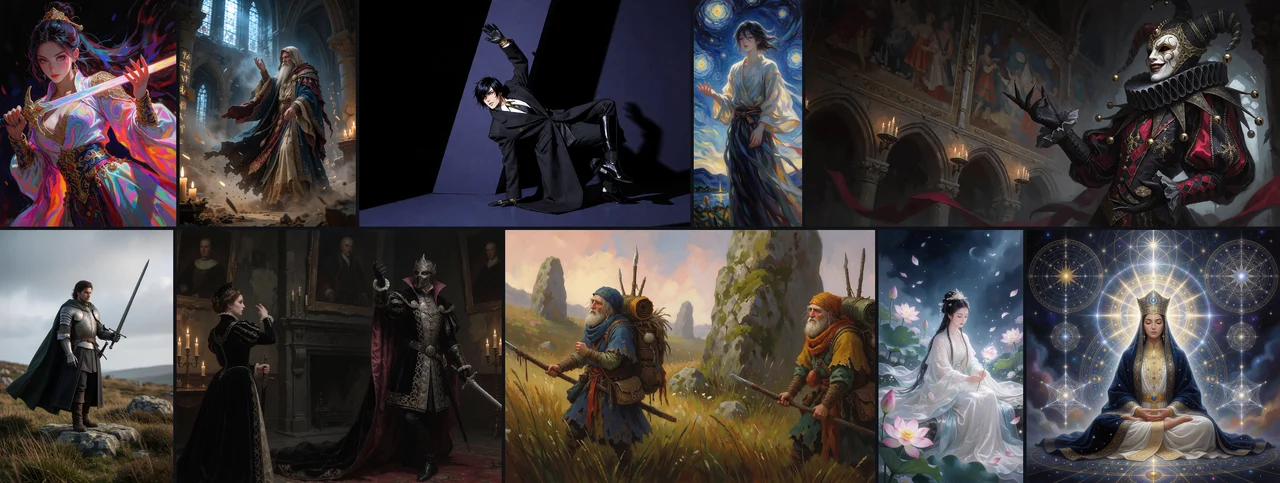
Describe the clothes and scene in words; give the model a skeleton for where the body should go. That is the practical hook of Adhit’s Krea-2 Pose Control-LoRA, a community adaptation of Krea-2 Turbo with a documented ComfyUI path from reference image to pose-conditioned generation.
The project is not a November 3 model debut. Its Hugging Face repository was created on August 26. The current reason to examine it is the author’s November 2 technical account, followed by November 3 commits updating ComfyUI workflow model selectors and setup documentation. Those developments provide a concrete workflow story without turning an upload or collection timestamp into a release date.
From reference photo to body layout
The documented reference-image workflow connects Load Image, Krea2PoseExtractor, Krea2PoseGenerate and Save Image. An alternative accepts an existing condition through Krea2PoseCondition. The default extractor uses DWPose, converts the result to 17 COCO-style body keypoints and renders the project’s PoseBridge condition.
This is a specific custom-node workflow. The author warns that generic OpenPose or native DWPose preview images should not be fed directly into the model. The pose controls broad geometry and framing; the text prompt should describe compatible appearance, clothing, setting and style instead of fighting the skeleton.
The model card offers a Comfy Registry installation route. The repository also documents manual installation into ComfyUI’s custom_nodes directory, Python dependencies, ControlNet-Aux for DWPose, and local paths for Krea-2 Turbo and the released mix-025 control checkpoint. Users need those model files and a working local inference setup; the documentation reviewed here does not establish a minimum VRAM figure or a hosted subscription price.
Useful control, with a narrow target
The author’s frozen defaults use Krea-2 Turbo at eight steps, with a control scale of 1.0. The adaptation expands the input layer and adds LoRA adapters; it is not a separate parallel ControlNet branch.
In the November 2 post, the author reports better body-keypoint adherence than the Turbo baseline on 48 selected training-set images. That is an author-run evaluation, not a held-out generalization test or an AITrending reproduction. Its keypoint score does not measure complete visual quality and does not directly penalize extra generated people.
Hands, fingers and facial expressions are outside the control signal. Overlapping people and prompts that contradict the pose remain difficult. The published sample montage is therefore a useful view of the author’s intended workflow, rather than a guarantee that any pose or subject will reproduce faithfully.