omp GUI puts your coding agent's browser, terminal and memory beside the chat
Version 0.9.21 adds visible browser handoff, interactive terminals and editable project memory to the oh-my-pi desktop app. Learned skills are active before review.
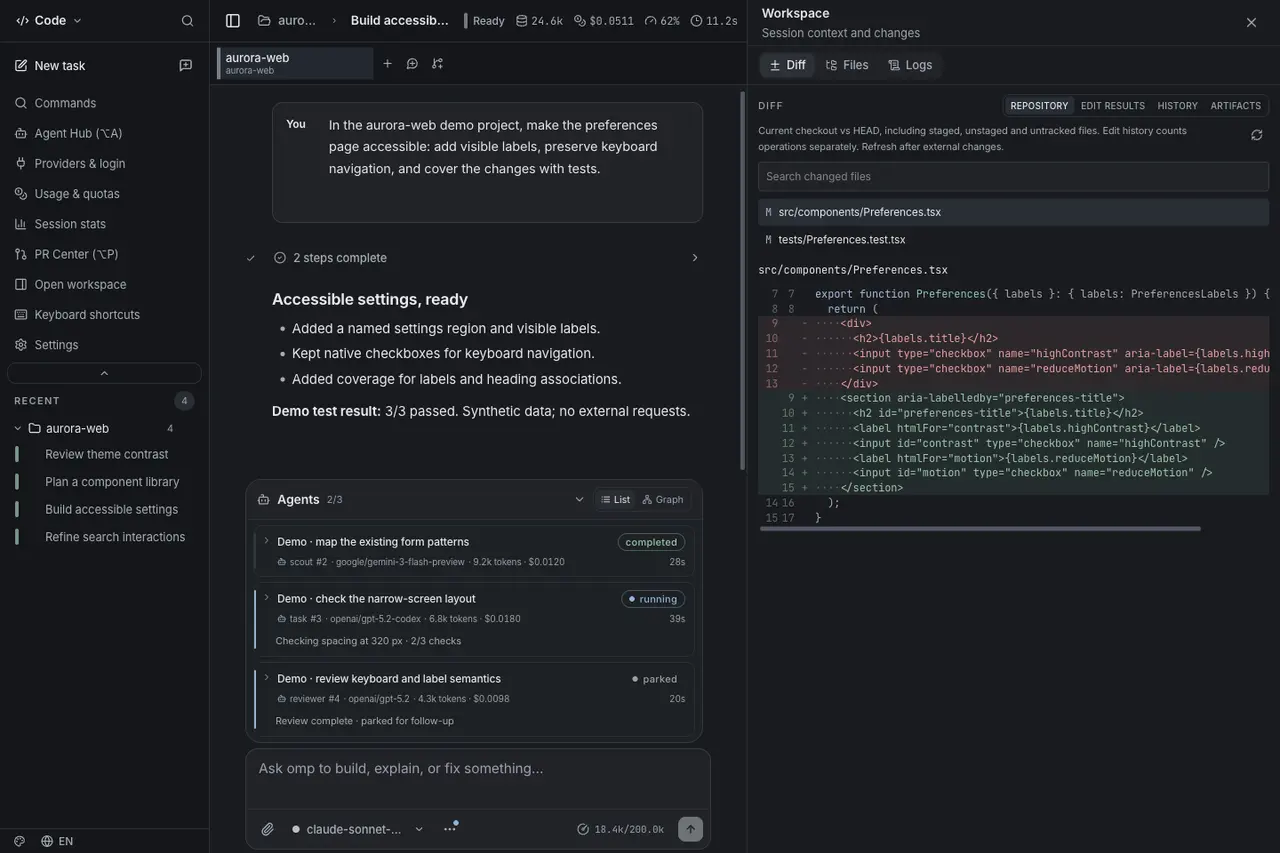
Watch the agent work, then take over
The community-built omp GUI desktop app has released version 0.9.21, bringing a terminal and a browser into the panel beside its coding conversations. Built around the oh-my-pi harness, the Electron application bundles its own agent runtime; it is not a new model or an editor plugin.
According to the October 15 release notes, an agent command waiting for interactive input can open in the terminal view so the user supplies the answer. The agent can read the user’s terminal output, while development servers it starts receive separate visible terminals. Printed local-server addresses become links into the browser panel.
The browser gives the agent and user a shared page: the agent can inspect the page already open, drive it with its browser tool and return control. An Agent badge identifies pages under agent control. The documentation says browser sign-ins persist and are shared across tabs, meaning those pages can act with the user’s signed-in identity.
Memory becomes something you can inspect
A new Memory window exposes project notes, captured lessons and the sessions from which the agent learned. Users can edit instructions, forget or restore learned sessions, refresh the memory or erase it. Conversation search covers user and assistant messages across sessions, excluding tool output.
The release also exposes learned skills for review, with a consequential detail: skills the agent writes for itself are active immediately. Review is an inspection and management step, not a mandatory approval gate before activation. Users can examine changes, edit a skill, disable it or remove it.
Downloads include the harness, but model access is separate
The release provides macOS downloads, Windows x64 installers and portable builds, and Linux x64 AppImage and Debian packages. Its bundled agent is refreshed through upstream v18.11.0. Users still need their own model-provider authentication; optional cloud dictation also requires the corresponding credentials. Local speech models download on first use.
The project’s English documentation describes Windows packages as unsigned and macOS builds as ad-hoc signed without notarization. It also distinguishes app approvals from an operating-system sandbox. These are documented capabilities and installation boundaries, not an AITrending execution test. The accompanying screenshot is an actual GUI render with scripted demonstration conversations and metrics, and may show an earlier interface surface.