Suzent lets one phone switch between the AI agents on your laptop and home server
Desktop 0.21.0 and mobile 0.6.0 add multiple-computer pairing, clearer connection management and access revocation, while keeping the phone a preview remote client.
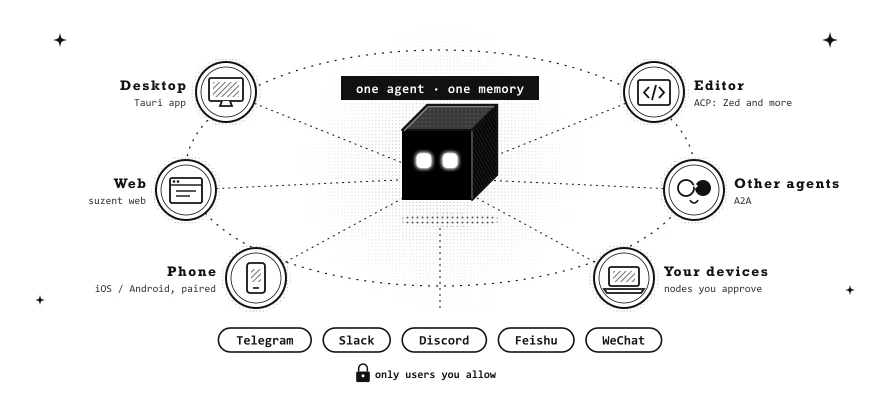
Suzent’s latest release gives a phone a practical new job: switching between the personal AI agents running on different computers. Desktop version 0.21.0, released November 3, pairs with mobile 0.6.0 so the same phone can connect to a laptop and a home server, then choose between them in Settings.
The change is more specific than a promise to run an AI agent on a smartphone. Suzent is a separate personal-agent application whose backend runs on the user’s computer. Its phone app is a remote client: the backend retains memory, files and model credentials, while the phone displays conversations and sends messages under its assigned permissions.
One active computer, separate permissions
The tagged English mobile guide says the phone connects to one computer at a time. Chats and scheduled tasks belong to the selected computer; switching does not merge the machines’ agents, memories or workspaces. If the chosen computer cannot be reached, the app stays on the current connection.
Each computer maintains its own permissions for the phone. Setup offers Full control, Chat only, Read only and Custom access, with Full control initially selected. That can include reading conversations, sending messages and answering tool-approval requests. The agent’s own conversation permission mode still governs its tools.
The release also simplifies pairing QR codes and replaces an existing phone entry when the same device pairs again. Forgetting a computer on the phone asks that computer to revoke access. The guide adds an important condition: if the computer is unreachable, users should revoke the phone there themselves. Removing a saved connection should not be assumed to have reached an offline backend.
The phone remains a preview
Suzent’s mobile guide lists Android 8 or later through an APK and iOS 17 or later through a TestFlight beta, subject to an available approved build and test-group capacity. It says the app is not yet in Google Play or the App Store. Notifications and offline access to real conversations are among the missing features; its offline demo uses scripted replies rather than a model.
Away from home, the documented options are Tailscale on both devices or the user’s own public HTTPS address. The computer must remain on and running Suzent. These details make the feature remote access to a user’s backend, rather than a hosted agent that keeps operating independently of that machine.
The Apache-2.0 project supports Windows, macOS and Linux, with its setup scripts followed by suzent start and provider configuration. It can use cloud providers such as DeepSeek or an existing local Ollama model; local-first storage does not mean a cloud-model request stays offline, and provider charges remain separate.
Version 0.21.0 also makes camera support an optional plugin and reports a substantially smaller Python installation. Those are project-reported packaging improvements. The clearest user-facing change is the ability to manage several separately hosted agents from one phone without repeatedly replacing its only saved connection.
Related reading