Brewcode 6.10 closes the gap between updating Claude Code plugins and project setups
The community suite adds a guided update chain that refreshes installed plugins, reloads them and upgrades the files its setups previously generated inside each project.
Updating the plugin is only the first step
Claude Brewcode 6.10.0 adds a way to bring generated project setups forward after updating the plugins that created them. For developers using the community suite’s agent teams, review skills and documentation hooks, that addresses a concrete maintenance gap: upgrading a plugin does not automatically replace the files it previously copied into a repository.
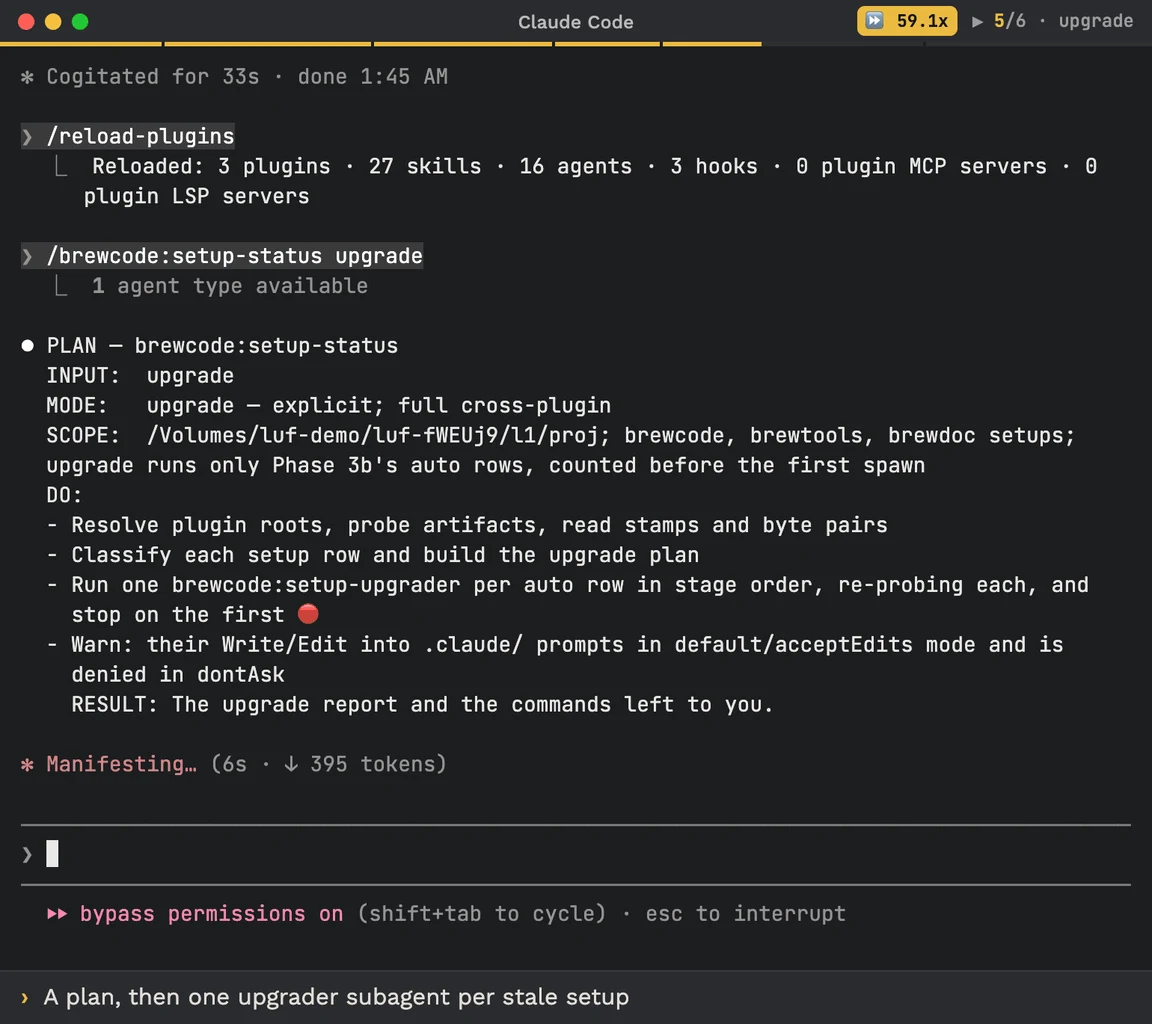
The October 17 release lays out a three-step chain: run /brewtools:plugin-update, reload with /reload-plugins, then run /brewcode:setup-status upgrade in each project. The first command updates installed Brewcode plugins and mods across their installed scopes and reports versions before and after. Its default update mode offers missing components in one question; check changes nothing. The separate all mode also takes the missing-component offers, updates other marketplaces’ plugins and prunes orphaned auto-installed dependencies.
The new setup upgrade mode works through stale setups one at a time, using each setup’s own upgrader. The project says it checks the files and Git state around each operation, probes the result again and stops at the first failed check. It leaves interview-based upgrades, modified copies and operations such as installation or forced replacement for the user. It does not commit, stash or reset the repository.
An explicit workflow, with real write permissions
The tagged README describes a Claude Code plugin suite, not a standalone coding agent or model. Installation uses Claude Code’s marketplace commands, beginning with claude plugin marketplace add https://github.com/kochetkov-ma/claude-brewcode, followed by installation of the desired named plugins. It lists macOS 13+ and Node.js 20+; Linux and Windows are planned. Mods require Claude Code 2.1.301 or newer. Users still need a working Claude Code environment; the sources do not provide an all-in usage price.
The upgrade is not permission-free. Its documentation says writes into .claude/ can prompt in default and acceptEdits modes and are denied in dontAsk. A reload guard refuses upgrades when the session still has an older plugin loaded. These are the author’s documented safeguards, not an AITrending execution audit. The useful change is a visible maintenance sequence that separates installing a new plugin version from updating the project artifacts that actually run.
Related reading
OpenTelemetry skills give coding agents a dated answer when the network is gone