cccodroid patches its Android Claude Code launcher against pairing and download risks
The third-party Android launcher says v0.5.3 hardens Shizuku pairing, privileged commands and downloads while reducing lock-screen exposure of approval requests.
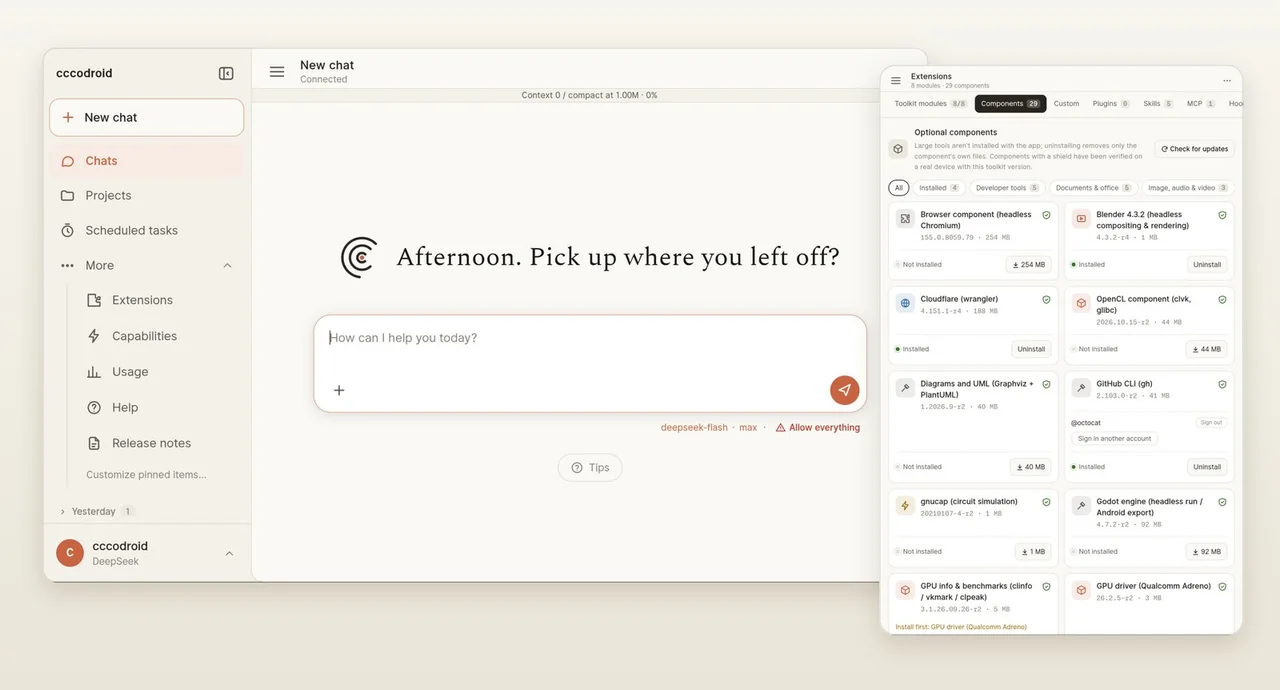
Running a coding agent on an Android phone also means managing its access to the phone. cccodroid’s v0.5.3 release targets that boundary with changes to Shizuku pairing, privileged command transport, downloads and approval notifications. The author urges users to update; these are project-reported fixes, not an independent security audit.
cccodroid is a third-party launcher for the official, unmodified Linux arm64 Claude Code client. It runs the development environment on Android rather than turning Claude into a local model: model inference still uses cloud services. It is not an official Anthropic Android application.
Pairing and privileged commands get tighter boundaries
The English release notes say that when several Shizuku pairing services are advertised, the app now asks for a port and pairing code instead of automatically choosing one, addressing the risk of an impostor application. The older device-wide privileged command channel has also been removed in favor of an app-private-directory channel. Shizuku is optional and grants shell-level capabilities; it is not required for the basic launcher.
Downloads started over HTTPS now refuse redirects to plain HTTP. Toolkit builds verify official Termux repository signatures. A separate publication gate for unsigned manifests begins with the next toolkit release, so it should not be read as a retroactive guarantee about all existing toolkits.
Approval notifications now hide command details on the lock screen, and diagnostic bundles scrub keys inside JSON as well. Automatic Claude Code updates are restricted to newer versions; an intentional downgrade requires the manual Update route. The release also addresses a large cron-range freeze and bounds cached events.
What using it involves
The project lists Android 8 or later, arm64 and roughly 4 GB of space as requirements. Installation uses a release APK followed by a modular toolchain download. Users supply their own Claude account or API credentials and pay their provider’s usage charges. The documentation does not establish real-device testing across every listed Android version.
The project’s interface image shows an illustrative provider and permission configuration. Its visible Allow everything setting is not the documented default or an AITrending recommendation. We reviewed the English release notes, README and setup site, but have not reproduced the fixes or established whether any described issue was exploited.