Cherry Studio 2.1.8 turns agent chats into scheduled tasks
The desktop AI workstation adds interactive task cards, hold-to-dictate input and safer draft handling across notes, skills and artifacts.
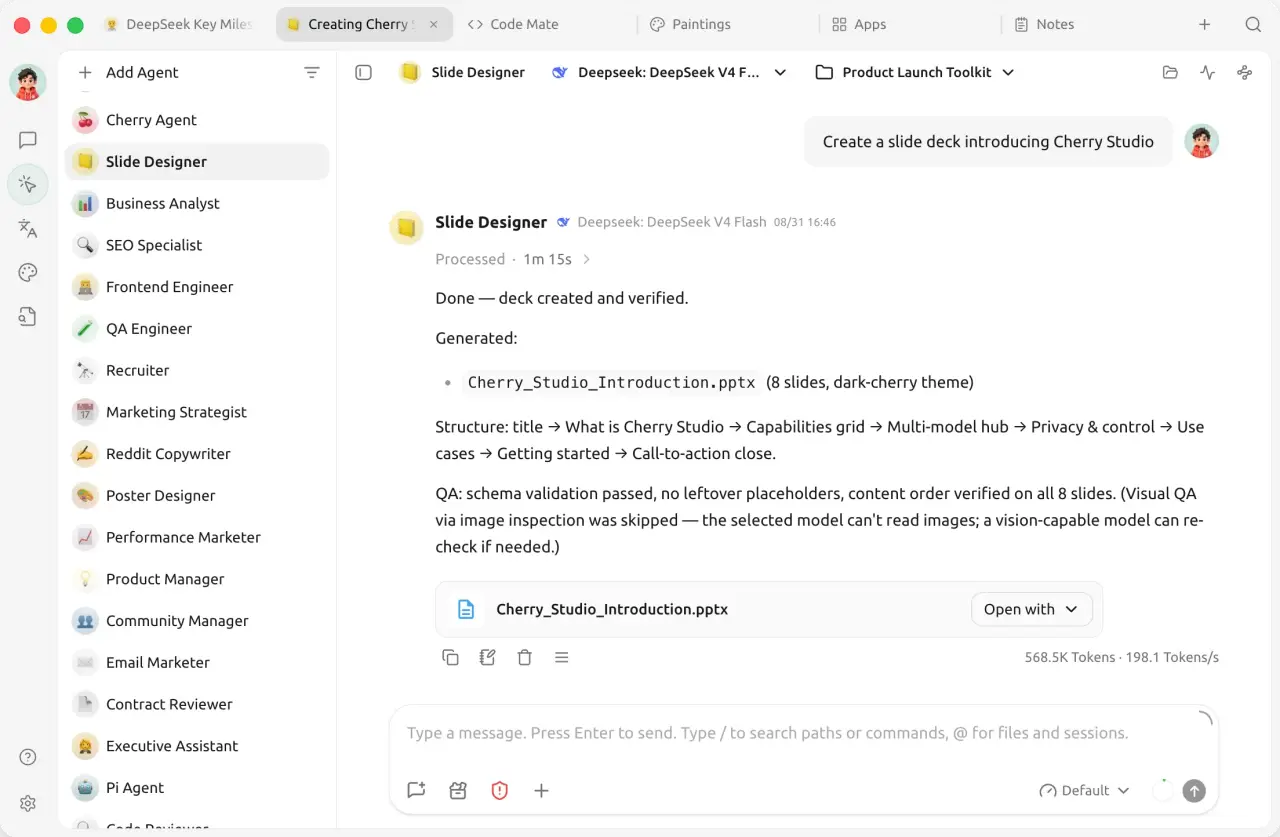
Cherry Studio’s October 26 version 2.1.8 release lets users create and manage scheduled tasks through an agent conversation, with an interactive task card in the chat. It is a useful next step for people who already work in a desktop assistant and want a conversation to produce recurring work. The release notes document the feature; AITrending has not independently tested task execution or reliability.
This is a standalone workstation for Windows, macOS and Linux, rather than a new model or a Claude Code plugin. Its documentation describes configurable agents with their own instructions, workspaces, models and tool permissions, plus extensions through Skills and MCP servers. Users can connect cloud services such as OpenAI, Anthropic and Gemini, or local models through Ollama and LM Studio. The model provider and the application remain separate choices.
The same release adds a mouse-hold dictation workflow: hold in a text input to start dictating, then release to transcribe. It also lists streaming speech synthesis, screenshot copying without closing the capture overlay, and custom pairing hostnames, IP addresses or ports for remote access. These are project-reported capabilities, not comparative performance findings.
File editing receives a practical change as well. The notes say drafts are isolated across notes, skills and artifacts, failed edits are retained for retry, and text editing and previews support files up to 8 MiB. A separate fix addresses note content being overwritten when switching between cached notes. These changes matter when an assistant is producing files that users expect to revisit and edit.
Installers and packages are available from the versioned GitHub release for supported desktop platforms. The community edition is AGPL-3.0, and a commercial license is offered separately. Cloud services can require paid API access; voice, local models and automation can require additional downloads or system permissions. The release does not make provider access free or guarantee that every tool works on every platform.
Related reading
Voice Gate gives Hermes one more chance to cut the AI writing tells
OmO tells its architect to fix the code, and rolls back higher reasoning defaults