A 5.72 GB FLUX 3 Klein build targets laptops, with a 1.64x speed claim and a ComfyUI patch
FP8Enjoyer's new community conversion shrinks the distilled image transformer and publishes paired samples, laptop timings and a fix for a ComfyKitchen compatibility problem.
Storyline / Report 3 of 3
FLUX 3 Image Klein release, customization and local builds
Full timeline 3 reports
- Source-backedFLUX 3 Image Klein brings box-controlled image editing to downloadable weights
- Community reportsKlein Trainer puts FLUX 3 LoRA training in your browser, with the GPU bill on your account
- Community reportsA 5.72 GB FLUX 3 Klein build targets laptops, with a 1.64x speed claim and a ComfyUI patch (current report)
A smaller transformer for the local image workflow
Community author FP8Enjoyer has uploaded an MXFP8 conversion of the distilled, 16-step FLUX 3 Image Klein transformer for ComfyUI. The English model card lists a 5.7222 GB checkpoint, compared with approximately 11.1 GB for the original BF16 transformer. It is a conversion of existing weights, without new training or architecture changes, and is not an official Black Forest Labs release.
The download contains only the diffusion transformer. Users still need the matching Qwen3-VL text encoder and FLUX VAE, so the checkpoint size is not the total installation size or a promise about runtime memory. The build uses ComfyUI-native Safetensors; it is not a GGUF package or a drop-in Diffusers checkpoint.
The laptop speed claim comes with a reproducible setup
The author reports 1.64 times BF16’s warm throughput on an RTX 5070 Ti Laptop GPU, running Windows, ComfyUI 0.41.0, PyTorch 2.10.0+cu130 and ComfyKitchen 0.2.37. The published CSV gives a mean execution time of 23.70 seconds for MXFP8 versus 38.89 seconds for BF16 across eight warm executions after the first run. These use different prompts, rather than eight repetitions of one prompt.
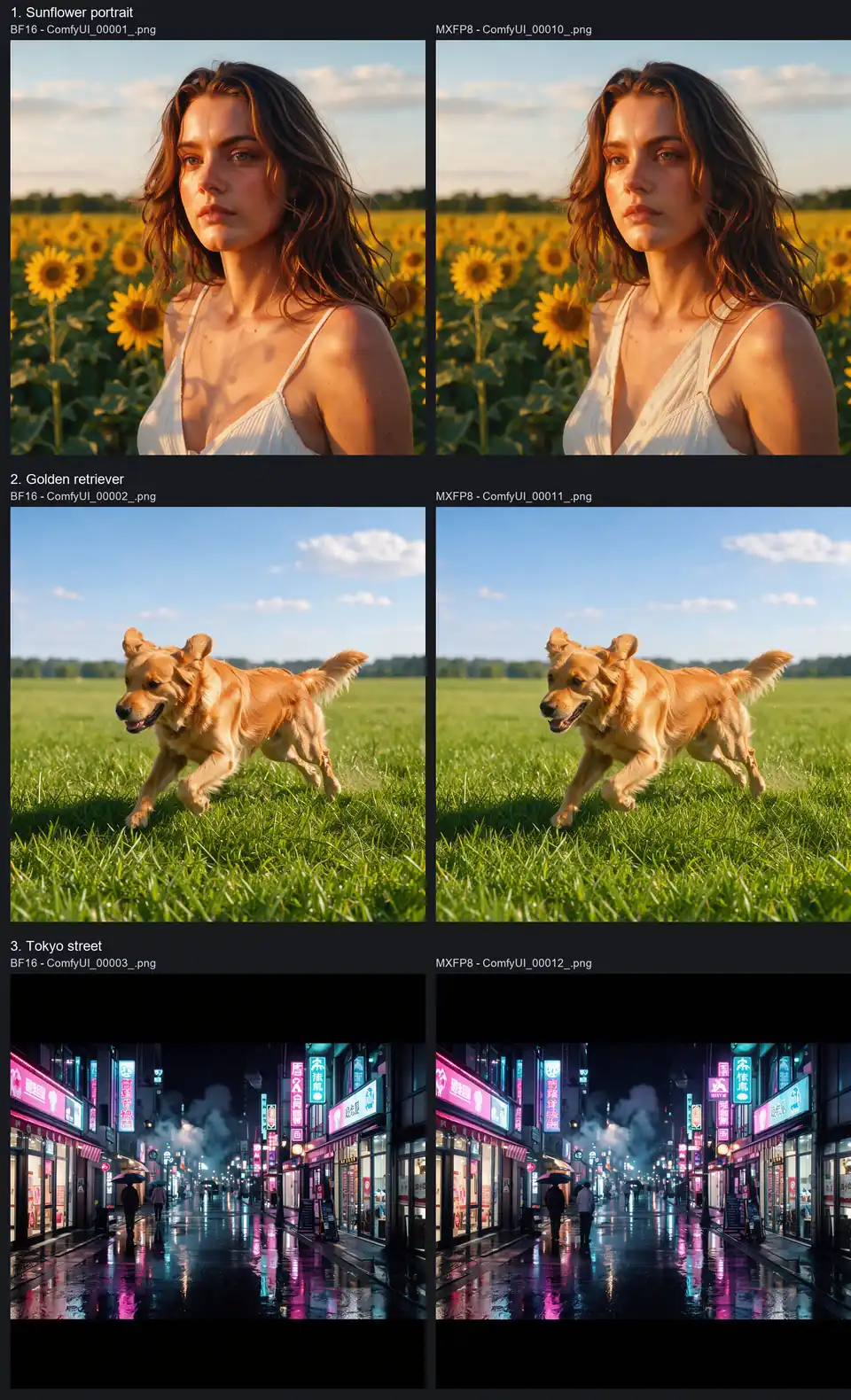
That is an author-run comparison on one laptop. It excludes application startup and queue waiting, uses low-VRAM mode with offloading, and does not measure peak VRAM or establish a general speedup on other hardware. The author also publishes nine paired image comparisons; they are useful inspection material, not proof of quality parity across prompts and seeds. AITrending reviewed the files and samples without running the model.
A compatibility fix is part of this release
The documented setup requires a patch that makes an activation tensor contiguous before ComfyKitchen’s MXFP8 quantization call. The supplied script changes that specific call in ComfyUI’s comfy/quant_ops.py, keeps a backup, checks syntax and offers status and restore modes. It refuses an unknown source layout. Creators must account for that local compatibility step, not just download a smaller file and assume their existing installation works.
The FLUX Kommunity License continues to apply to this derivative, including its conditions on commercial output use. Quantizing the model does not turn it into an unrestricted permissive-license release.
Related reading