tlbx puts voice control over coding agents into its stable Linux release
Version 10.22.0 bundles direct voice orchestration and native agent controls in a self-hosted browser workspace, with Linux binaries available first.
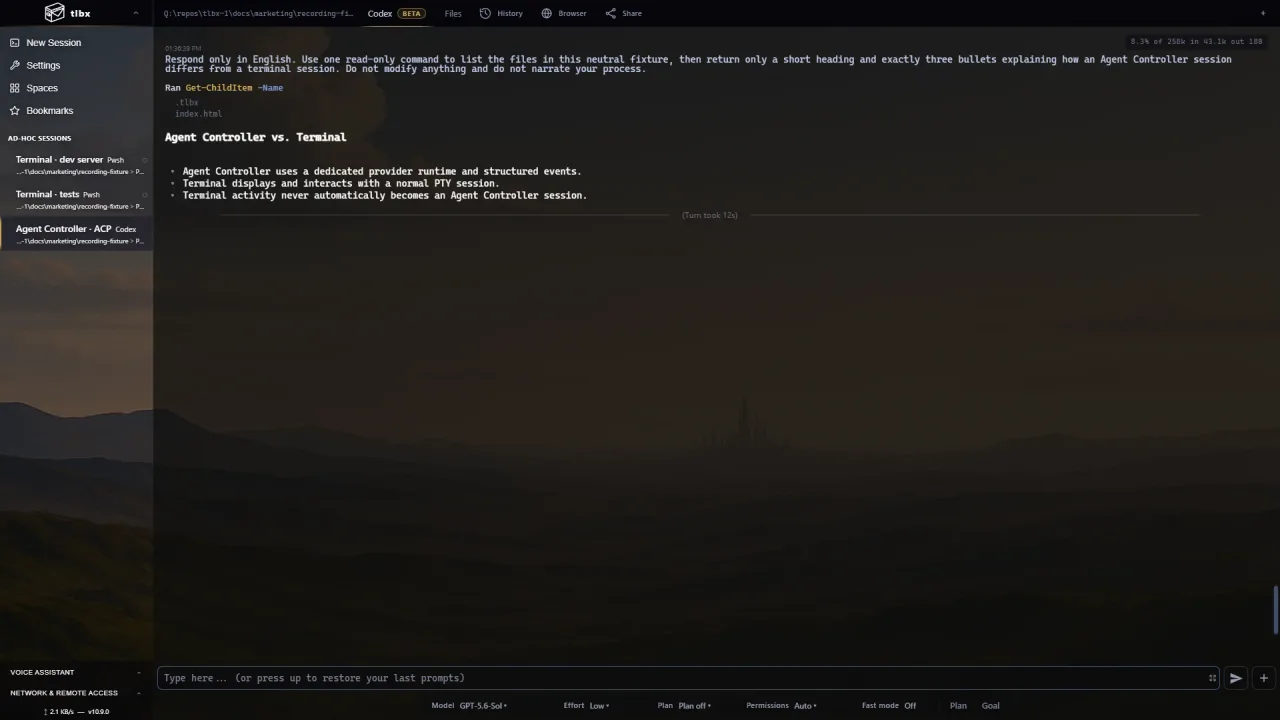
Talking to a coding agent is becoming a workspace feature. tlbx 10.22.0, published on October 19 at 01:38 UTC, brings direct voice orchestration into the project’s stable release: its authors say users can inspect, create, select and steer terminal and Agent Controller sessions through GPT-Live 1 running inside tlbx.
The stable package rolls up development-channel changes since 10.19.3. Voice orchestration appeared in the 10.21.0 development notes; the October 19 event is its inclusion in this stable release, alongside expanded native provider controls and subsequent voice-interface fixes.
One browser, several agents
Formerly called MidTerm, tlbx is a self-hosted terminal browser multiplexer. Your workstation or server runs the tools; a desktop, tablet or phone browser provides access. A Terminal Session displays an ordinary terminal, while Agent Controller shows a structured conversation with tool calls, code changes, questions and approvals.
The workspace uses existing coding agents rather than supplying a new model. Its tagged guide lists Codex, Claude Code, OpenCode and other launch options, with capabilities dependent on the agent and configured provider. OpenCode uses its native HTTP/SSE server and requires CLI 1.14.19 or newer. The new release specifically expands controls for questions, approvals, models, history, images, commands and compaction.
The voice release notes describe protected API-key settings for OpenAI, Google, Anthropic and xAI, plus a selectable inference worker. They also replace an external voice server and browser-delivered shared password with authenticated local voice and dictation endpoints. That is the project’s implementation description, not an AITrending security audit or hands-on latency test.
What voice can reach
The tagged voice tool catalog includes session overviews, activity, scrollback reading, session selection and creation, and sending a prompt through the existing agent prompt path. Its raw terminal-input and session-closing tool definitions require explicit browser confirmation. Voice therefore has a concrete route into real working sessions; the scope is broader than transcribing text into a chat box.
Normal agent and model-provider charges still apply. A configured voice/model API credential is separate from installing the workspace, and self-hosting the interface does not mean all inference stays on your machine: agents may send data to their configured providers.
Linux downloads first
Although the general README documents Windows, macOS and Linux, this release provides only Linux arm64 and x64 archives. Its release page explicitly marks Windows and macOS builds unavailable. Linux users can follow the native installer linked in the tagged guide; the separately published npx @tlbx-ai/midterm trial launcher may lag native releases.
tlbx uses AGPL v3, with commercial licensing also offered. The guide recommends private LAN or VPN access with HTTPS and password authentication. Sessions continue when a browser disconnects only while the host remains awake and online; shutting down that host stops its processes.
For developers already juggling coding agents, the attraction is a single remotely accessible place to check work and redirect sessions by voice. The supported release and inspectable tool definitions make that workflow concrete, without establishing a universal hands-free coding result.
Related reading
MeetCap turns your coding agent into a meeting recorder, with local transcription