BrowserOS neo puts an agent browser in Docker, with a live view you can take over
The October 21 server release includes a persistent Docker browser with a noVNC viewer and an MCP endpoint. Agents can work in it while you watch, but both exposed ports need careful access controls.
BrowserOS neo now has a Docker route for giving an AI agent a persistent browser while you watch and control the same screen from a normal browser tab. The implementation appears in the October 21 BrowserClaw server v0.0.77 release, combining a noVNC viewer with a streamable-HTTP MCP endpoint.
This is a deployment option for the existing companion browser, not the first release of BrowserOS neo. The project also ships BrowserOS, a different browser with a built-in AI agent for people doing the browsing. Neo is driven by an external agent such as Claude Code, Codex, OpenCode or Hermes.
One container, two ways in
The original Docker guide points to ghcr.io/browseros-ai/neo:latest. Its documented launch mounts a persistent folder at /data, allocates shared memory, and binds the viewer on port 6080 and the agent endpoint on port 9010 to 127.0.0.1.
You open http://localhost:6080 to see and interact with Neo. An MCP client connects to http://localhost:9010/mcp; the guide shows Claude Code adding it as an HTTP MCP server. The external harness supplies the model and performs the task. Neo supplies the browser tools and logged-in browser state, rather than a new model or a replacement agent subscription.
At review, the public latest image index listed both Linux amd64 and arm64 images. The guide describes running it on x86-64 Linux, arm64 Linux and Apple silicon Macs with Docker Desktop. This does not mean every desktop Linux download is ARM-ready: the main README still labels its direct Linux downloads x64.
Sign in once, keep the browser state
The data folder holds the browser profile, agent sessions, recordings, skills, settings and downloads. The project’s guide says logins survive container recreation and image upgrades. It also warns that two containers must not share one profile folder.
Desktop Chrome-import messaging needs a qualification here: a macOS desktop Neo profile cannot simply be copied into the Linux container with working encrypted cookies, because the container cannot read the macOS Keychain. Users should expect to sign in within the container rather than assume desktop logins transfer unchanged.
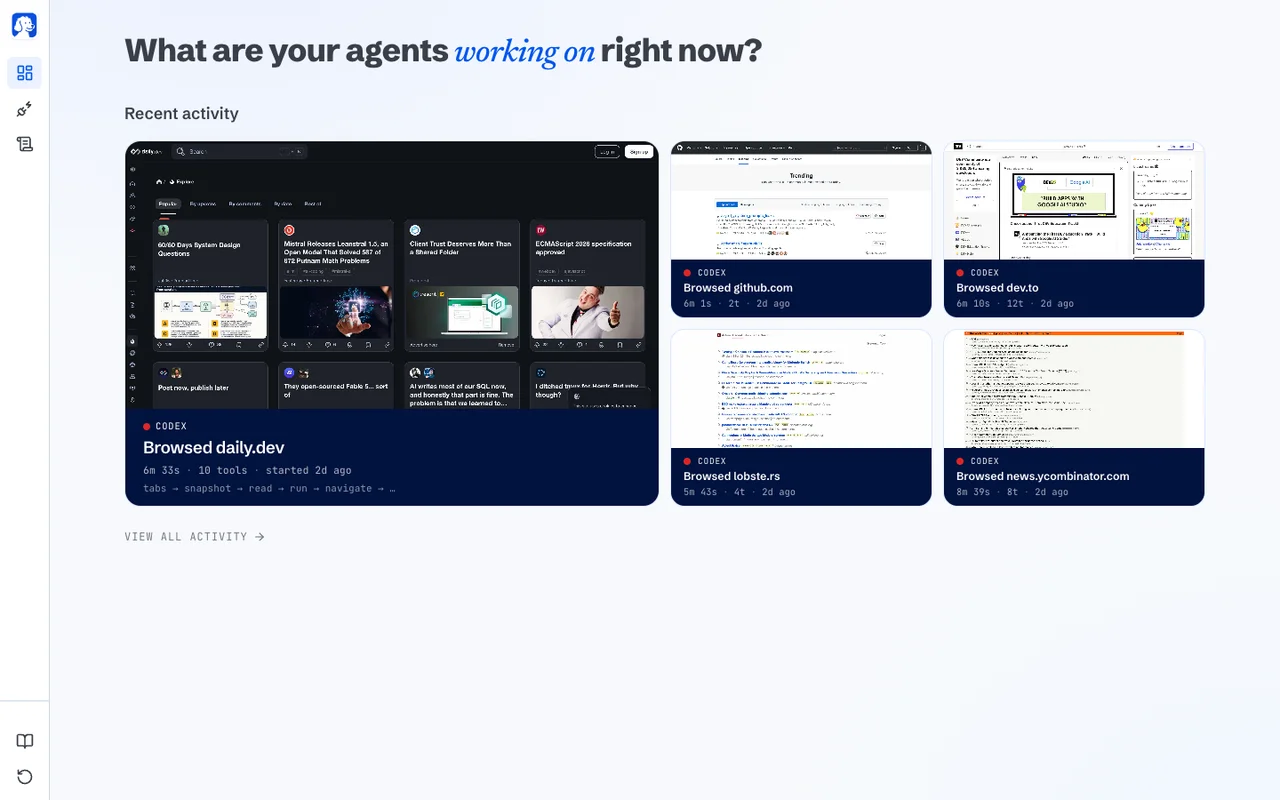
The README’s published dashboard shows concurrent and recent agent activity, and describes local session replay. Those are project-described features, not an AITrending deployment test. BrowserOS’s advertised token savings have not been independently tested for this report.
Local bindings are part of the setup
Neither exposed port asks for a password, the Docker guide says. The viewer controls the screen, while port 9010 exposes the broader local API, including sessions, recordings and settings. Publishing either openly would give other people substantial control of a browser signed into real accounts. The guide calls for an authenticating reverse proxy when sharing access.
Chromium’s own sandbox is disabled by default in the image because Docker’s default security profile blocks the required user namespaces. Human-help tools are also off by default and can be enabled separately. Containerization should not be read as a guarantee that arbitrary browsing is harmless.
Neo is AGPL-3.0 software. Its README calls it free and local, while disclosing optional anonymous product-usage telemetry; external model usage still follows the chosen agent and provider’s costs and data handling. AITrending verified the release, implementation, English guide and image architectures, but did not install or security-test the container.
Related reading
620 tokens a second in Chrome? webyIQ puts a tiny Qwen model on your GPU
context-guru wants to stop paying for tools your agent never uses