Claude-carbon puts the five-hour quota beside your desktop session's footprint
Version 1.17 adds a subscription usage readout to the Claude desktop Code tab and fixes Windows first-install friction for the community carbon tracker.
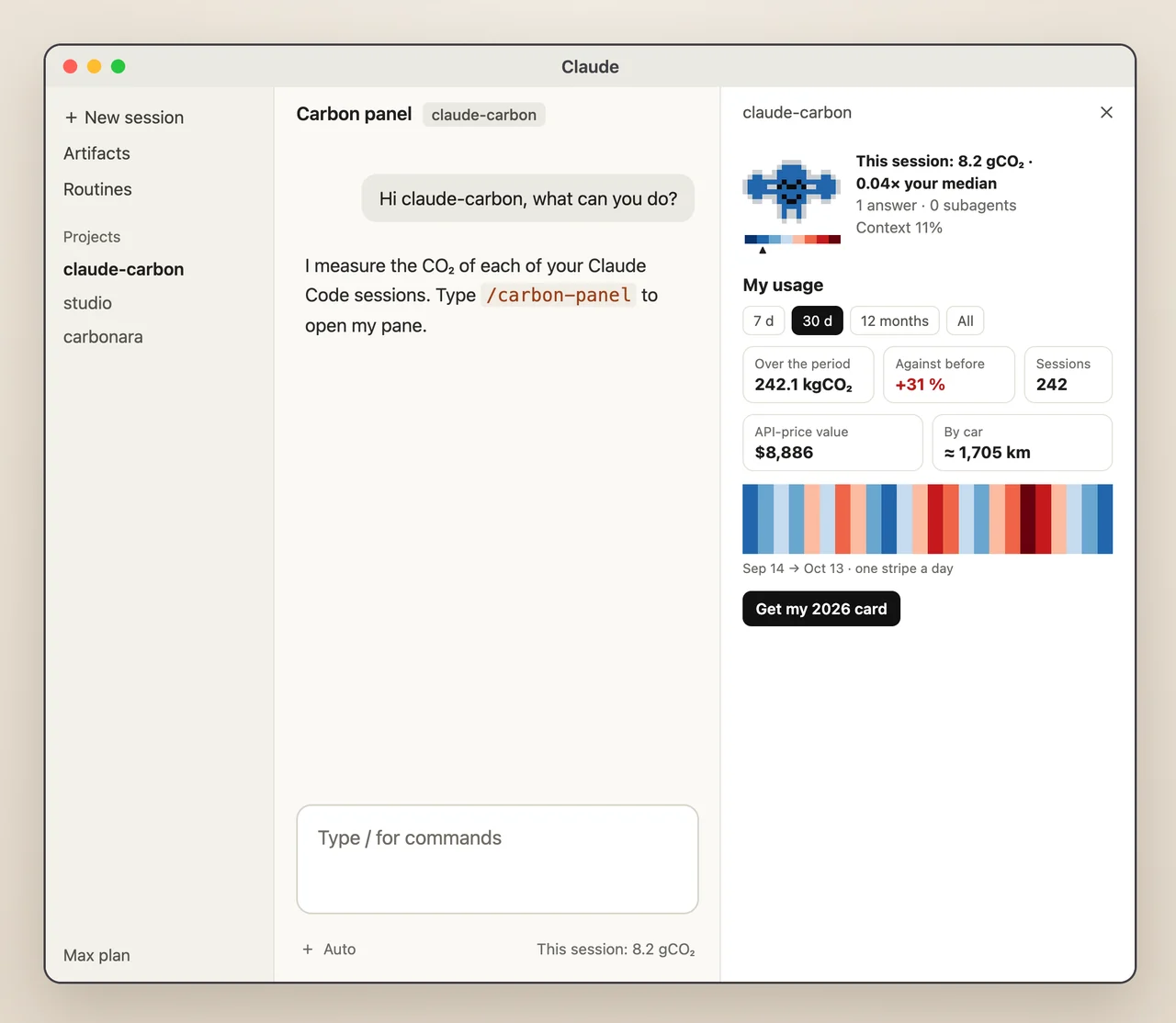
Claude-carbon’s new desktop readout combines two different budgets: an estimated environmental footprint and the share of a five-hour subscription window already used. Version 1.17.0 of the community Claude Code plugin shipped October 21, adding quota information below the prompt in the Claude desktop app’s Code tab.
The new entry reads the usage window supplied by Claude Code after each answer and includes a local reset time when available. The feature commit calls the host’s session usage API; this desktop mod does not make a separate network request for that value. The quota stays absent outside a subscription or when the host does not report the window. This does not mean every other part of the tracker is network-free: the terminal status line documents an OAuth usage API fallback.
A less awkward Windows setup
The release also tackles a specific installation failure. If Git was installed during an already-open desktop session, Claude Code could keep invoking hooks through PowerShell, opening a Git Bash window after each answer. The author says the installer now quotes the paths and scripts exit when invoked with terminal input.
The PowerShell installer also installs missing jq and sqlite3 through winget, and the scripts look in winget’s links directory before a restarted session has refreshed PATH. Git for Windows is still a manual prerequisite. Existing users can use /carbon-update; plugin installs use Claude Code’s plugin update command and a restart.
Estimates, local history and installation scope
Claude-carbon is an MIT-licensed community integration, not an Anthropic emissions disclosure. It computes carbon estimates from token usage and published factors. Its dollar figure is the API-list-price equivalent of the requests, not an extra charge on a Pro or Max subscription. Neither number establishes the actual emissions or invoice for a particular session.
The README’s full installation routes are PowerShell on Windows, a shell installer on macOS/Linux/WSL, or npx claude-carbon with Node.js. That setup writes local Claude configuration, installs hooks and keeps SQLite session history. Installing only the plugin gives the mod and commands but does not set up the database or recording hooks. Claude service access is separate from the free tracker.
Mods require Claude Code 2.1.287 or later, or 2.1.286 in the desktop app, according to the README. The visible panel belongs to local terminal sessions and the desktop Code tab; the ordinary chat and Cowork tabs are outside its coverage. AITrending reviewed the release and source changes without reproducing the Windows install or calibrating its emissions estimates.