InkDoc puts the original PDF beside AI-ready Markdown
Version 1.3.1 adds a source-versus-result view and deeper chart and scan extraction, plus a repair for failed certificate checks on Mac and Linux.
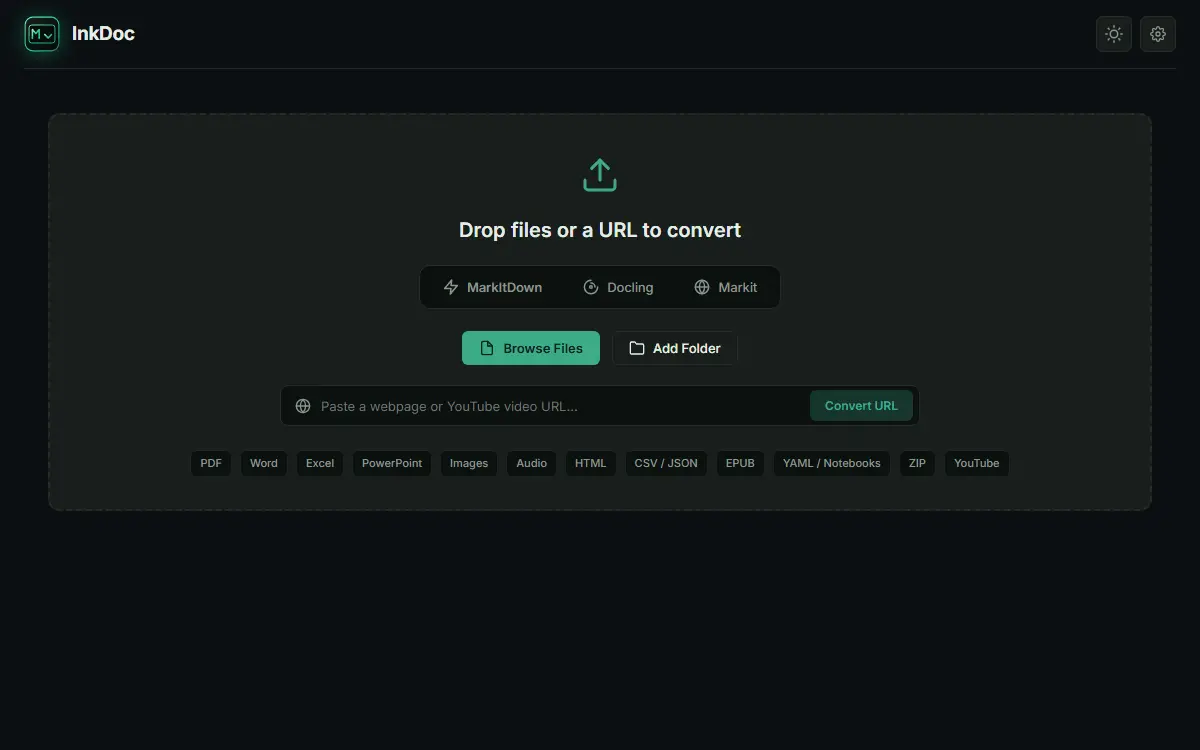
InkDoc’s latest release makes it easier to catch what a document-to-Markdown pipeline got wrong: show the original PDF or image beside the converted text. Version 1.3.1 adds an Original switch next to the existing Rendered and Raw views, giving readers a direct way to compare table cells and numbers before passing a document to an AI workflow.
The November 5 release says PDF pages render as users scroll and remain unloaded when the switch is off. This is a review aid inside a desktop conversion workbench, rather than a new language model or evidence that every converted document is accurate.
More recovery, with a trail back to the page
InkDoc combines MarkItDown, its own Markit extractors, optional Docling and optional GLM-OCR. The new Thorough quality steps aim to recover chart values, diagram structure, forms and scans. The release describes rereading scanned pages with poor existing OCR, checking image tables against an initial reading, and offering a slower high-detail pass for dense tables when the computer can support it.
The maintainer reports recovering 92% of the numbers on one 16-column directory page with that high-detail route. That is an author-reported example, not a general accuracy score or an independently reproduced AITrending test. Similarly, the release’s claim that chart values are measured rather than estimated should be read as the project’s description of its method.
Individual steps can be disabled under Settings → General → Auto quality → Steps. The notes say additions identify where they came from. Together with the original-page view, that makes the release particularly relevant to people preparing financial reports, research documents or other number-heavy material for retrieval and agent tasks.
Desktop packages, and an important upgrade fix
The MIT-licensed application offers Windows x86-64, Apple Silicon macOS and Linux x86-64 packages. The versioned README lists macOS 12 or newer; the current Linux package requires glibc 2.39 or newer and WebKit2GTK 4.1. Intel Macs are unsupported. Packaged desktop downloads do not require a separate Python installation, while optional engines download separately.
Most conversions run locally. GLM-OCR is an optional roughly 1.45 GB model/runtime download and processes documents on the computer. Audio transcription is a material exception: the documented MarkItDown route sends audio to Google’s speech-recognition service. URL and YouTube conversion also fetch remote content, so the whole application should not be described as universally offline.
Version 1.3.1 also addresses certificate verification failures that blocked update checks, engine downloads and web conversion on affected Mac and Linux installations. For older copies whose in-app update fails, the release recommends downloading the new package once and installing over the existing copy; it says settings, engines and add-ons are preserved. Windows and macOS builds remain unsigned according to the README, even though the updater uses signed update metadata. AITrending reviewed the English release and documentation without independently running the extraction pipeline.