Kuvo Code stops one agent's browser tabs spilling into every chat
Version 0.5.12 replaces a window-wide file, terminal and browser strip with panels owned by each session, bot or group chat, and fixes unnamed VoiceOver controls.
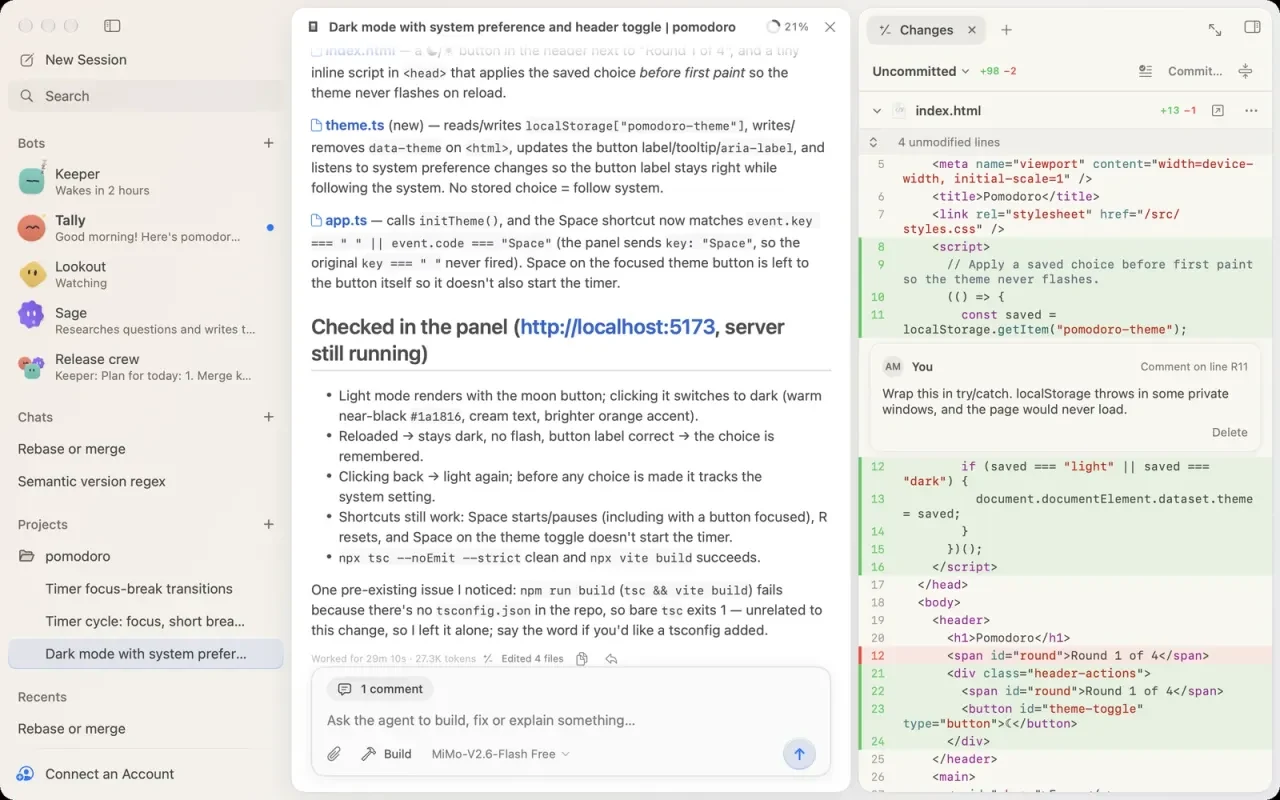
Kuvo Code 0.5.12 gives each coding-agent conversation its own files, terminals and browser tabs. Previously, the native Mac app shared one side-panel strip across the window, so pages or terminals opened for one conversation appeared in others. The October 18 release makes switching sessions, bots or group chats switch the associated panel too.
A panel belongs to the conversation
The implementation commit says each panel remembers its selected tab, a new panel starts on Changes, and an agent can browse in its own panel even while another conversation is visible. Tabs opened in a draft follow the session it becomes; deleting a session closes its tabs. This is a change to interface ownership and routing, not a claim that conversations now run inside separate operating-system sandboxes.
The release also makes the activity summary name MCP tools by their server, such as GitHub or context7, and describe skill use and session starts in words. VoiceOver gains names for the Pause Wake-Ups switch, bot buttons beneath a group-chat composer, and fields in MCP or sign-in forms that previously read as unnamed controls. These fixes are documented by the maintainer; AITrending has not independently reproduced them.
OpenCode underneath, a native Mac interface above
Kuvo Code is an independent SwiftUI and AppKit interface using the unmodified OpenCode engine. The tagged README requires Apple silicon and macOS 26 or newer. Its installation route is a downloadable DMG; the author says releases are Developer ID signed and Apple notarized, and the first launch downloads and verifies its pinned engine.
Users can connect supported subscriptions or API keys, or select available free models. Provider limits and charges still depend on the account and model chosen. Opening a project lets the agent read, edit and run commands there; the documented Ask First mode requests approval before edits and commands.
The code is source-available under PolyForm Noncommercial 1.0.0. Commercial use requires a separate written license, according to the README. The interface’s noncommercial terms apply separately from its OpenCode engine.