Delete the AI session, keep the agent log: Mycelium adds selective cleanup
The local coding-agent session organizer adds confirmed record deletion, blocks recapture of deleted sessions and lets VS Code users accept staged knowledge updates in a batch.
An organizer that can stop collecting a session
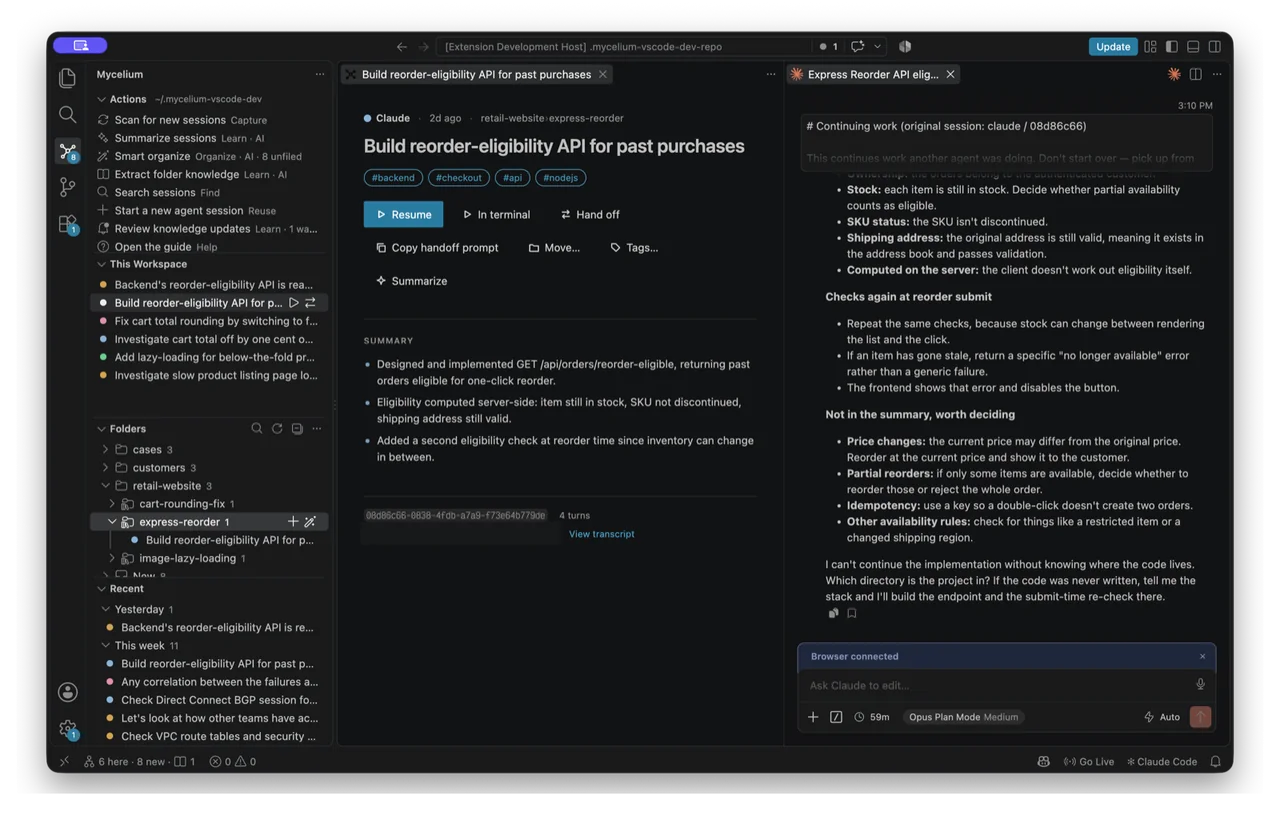
Mycelium’s October 16 update adds a useful distinction to AI session cleanup: remove a conversation from the organizer without deleting the agent’s original log. Extension v0.2.4 introduces a confirmed Delete Session command through the session context menu or page. The maintainer says the deleted session is excluded from future capture, so a later scan should not simply bring it back.
This is deletion of Mycelium’s record, not a promise to erase a conversation from the model provider or the underlying coding tool. The new command requires Mycelium CLI v0.5.4; the extension’s release notes say its other features continue to work with an older CLI.
The companion change removes repetitive knowledge-review clicks. When multiple staged updates are waiting, Review Knowledge Updates offers Accept all or Review one by one, with Accept all remaining available during individual diffs. That is a user-controlled shortcut for accepting extracted knowledge, not evidence that every proposed update is correct. The implementation discussion says this extension flow was checked by reading it rather than running it in VS Code; AITrending has not independently tested these capabilities.
Carrying context between coding tools
Mycelium is a local session organizer with a standalone terminal interface and an editor extension. Its documentation describes capturing Claude Code, Codex, Kiro and OpenCode sessions, grouping them into folders and extracting durable knowledge for later sessions started from Mycelium. The extension launches the CLI bridge and uses the same local store. It can resume work, hand context to another agent and offer to inject folder knowledge into a project’s AGENTS.md.
Install the CLI with npm install -g @kevinprk/mycelium and the VS Code extension with code --install-extension krapie.mycelium-vscode. Cursor and Windsurf users can use the same extension ID through Open VSX. Node.js 22.16 or newer, git and the relevant agent tools are requirements. The README recommends VS Code’s integrated terminal on Windows because standalone cmd or PowerShell can misrender the terminal interface.
The project is MIT licensed, but inference is not supplied free. Summarization, organization and knowledge operations use the user’s own authenticated Claude or Codex CLI. Some run automatically in the background while Mycelium is open; MYCELIUM_NO_AUTOSTART=1 disables background autostart. Although the project describes local storage without its own server or telemetry, those AI calls send session content to the user’s provider and consume the user’s existing usage allowance.
CLI v0.5.4 also makes index rebuilds atomic, which the maintainer says prevents failed or interrupted rebuilds leaving a half-written index. It removes the Files changed listing from the terminal export, alongside its removal from the extension session page. The release explicitly says that data is still captured and still feeds the handoff prompt: a cleaner display does not mean that context has been erased.
Related reading
Replit's CEO says it left Anthropic, but an informed source disputes the split
Chrome DevTools MCP lets coding agents record video without ffmpeg