Wrong API protocol? Oh My CPA lets you switch an existing provider
Oh My CPA v0.3.7 adds protocol-driver changes to existing provider records, with maintainer-described safeguards for credentials, configuration revisions and multi-key migrations.
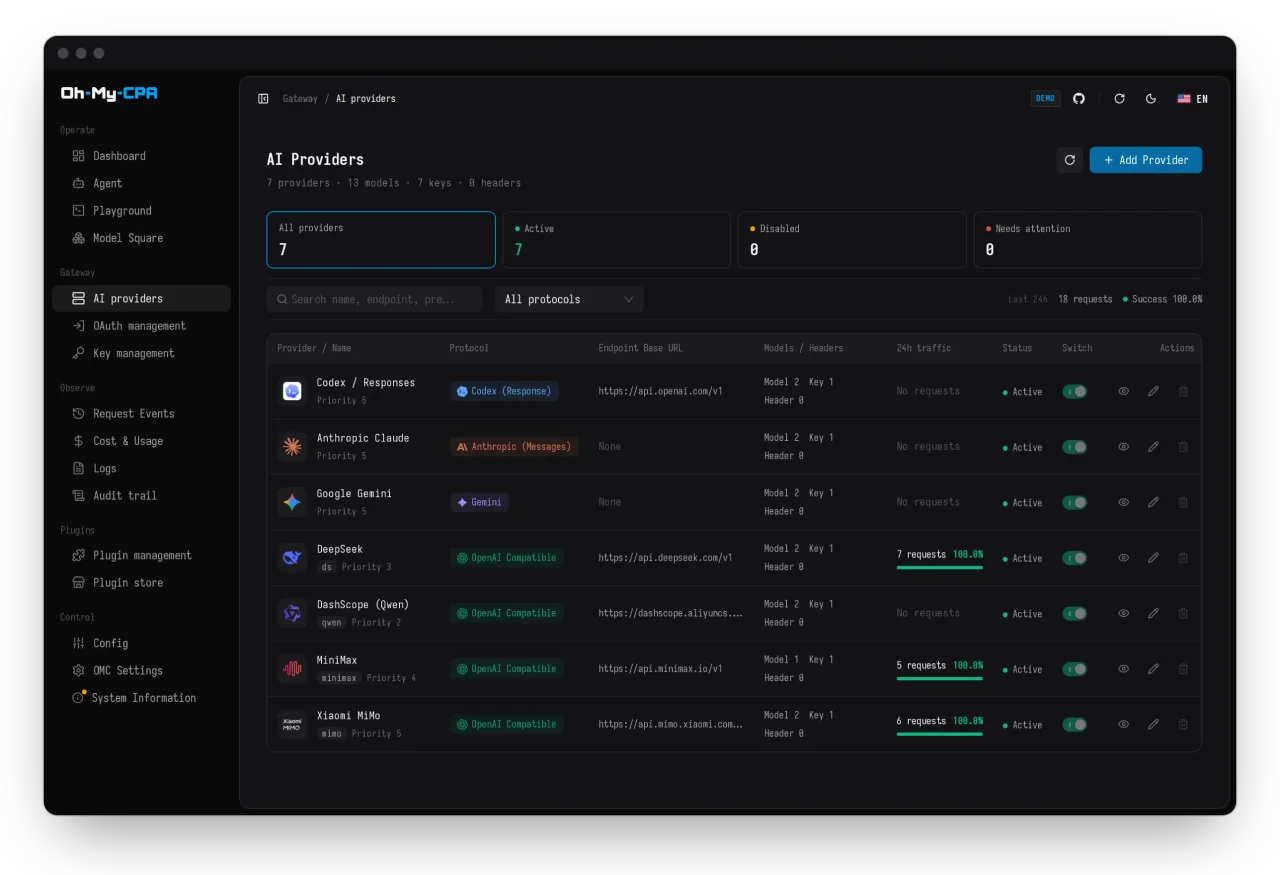
An AI provider configured with the wrong protocol no longer has to stay that way in Oh My CPA’s editor. Version 0.3.7, published October 21 at 16:54 UTC, lets operators change an existing provider’s protocol driver from its edit drawer. For people routing coding-agent requests through CLIProxyAPI, the practical hook is preserving the configured provider while changing how the gateway talks to it.
Oh My CPA is a self-hosted management and usage console for CLIProxyAPI v8.0.0 or later. The gateway handles credentials, protocol adaptation and requests; the console manages its providers and configuration, and records request usage and estimated costs. It is a separate Go application with an embedded React interface and local SQLite storage, rather than a Claude Code plugin or a model provider.
What changes when a provider changes protocol
The merged implementation description says the migration moves a stored provider group or credential between gateway protocol families in one backed-up configuration update. It uses a configuration revision check and a shared write gate, and refuses stale or ambiguous identities and destination collisions.
The maintainer says credentials, weights, proxies, supported model settings and key-specific runtime policies are preserved. Provider names, websites and icons move to the new identifiers. Probes and model-list requests use the protocol selected in the current edit.
There is an important qualification: a protocol change is not always a one-row conversion. A provider with several keys can split into one row per key when the destination family requires single-key records. The editor also warns when a change removes protocol-specific settings. This is configuration migration, not a promise that every endpoint implements every protocol or that incompatible model features become interchangeable.
The release also lists a console redesign and management-contract fixes. AITrending reviewed the English release, pull request and versioned documentation without installing the console or independently testing migrations. Preservation and safety behavior above are the project’s implementation claims.
Installation and access matter
The tagged release offers native executables for macOS, Windows, Linux and FreeBSD on amd64 and arm64, plus Docker images for Linux amd64 and arm64. Native archives embed the interface, so they do not need Node, Go or Docker at runtime; CLIProxyAPI must still be installed separately. The guide supplies SHA-256 checksums and notes that macOS and Windows binaries are unsigned.
Setup needs the gateway’s reachable URL, its plaintext management key and a separate master key for encrypted local data. The default console is at http://127.0.0.1:8080/omc/. The application is MIT licensed; upstream model access and charges remain separate.
The existing MCP endpoint can expose console operations to external agents using the management key as a bearer token. The documentation treats that key as administrator-equivalent: connect trusted agents and configure HTTPS for remote access. Low-risk writes run directly; other external-agent changes are prepared for approval in the console. That MCP workflow predates this release and should not be confused with the new provider editor.
Operators should also check usage-reader ownership: the documentation says CPA gives each usage record to a single reader. If another tracker keeps collecting, Oh My CPA can run in management-only mode with OMCPA_USAGE_INGEST_MODE=off. Back up the master key and state before upgrading; database migrations are forward-only, with rollback requiring the corresponding backup.