Orca brings Antigravity into native chat and makes remote agents less forgetful
The October 19 desktop release adds experimental Antigravity chat, queues image messages and fixes SSH reconnect behavior that could revive closed tabs or sleeping workspaces.
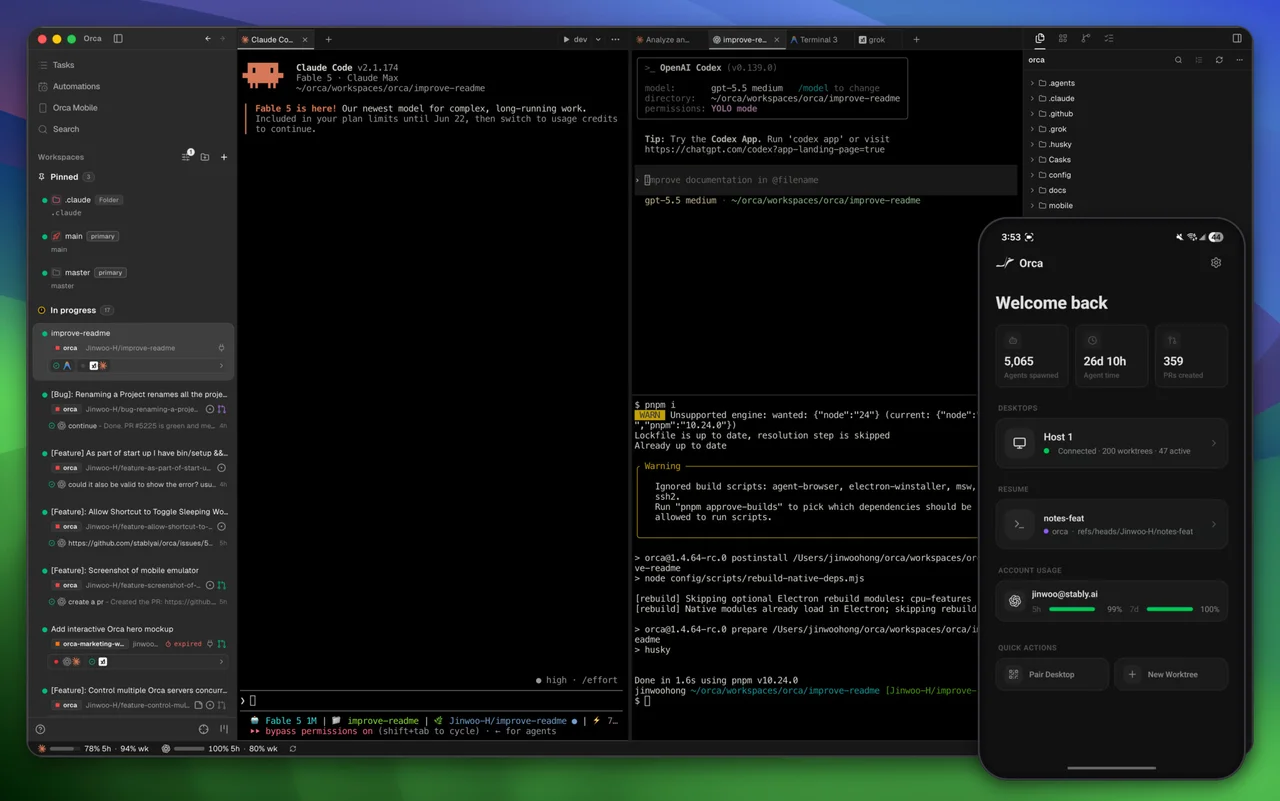
Orca is making its multi-agent workspace more conversational without treating every disconnected agent as a finished job. Version 1.4.230, released October 19, brings Google’s Antigravity agent into experimental native chat through its ACP server and adds more deliberate handling of attachments, queued messages and remote workspace state.
The application already runs terminal agents such as Claude Code, Codex, OpenCode and Pi around separate Git worktrees. This update lets users choose which agents open as native chats, offers installation when a chat host lacks the required agent, and uses Antigravity’s own Google sign-in flow. Those are workspace integrations, not a new model or a promise that every terminal agent supports the same native-chat features.
Queues and reconnects get practical attention
Copied files can be pasted as attachments, image messages can wait in the queue like text, and pending attachment or queue actions receive clearer feedback. On phones, the release adds in-place editing of queued messages and desktop-style tool cards. These changes target the handoff between monitoring an agent and sending its next instruction.
The remote fixes are equally concrete: a deliberate SSH disconnect should remain disconnected, sleeping workspaces should stay asleep, and a tab closed during a disconnection should remain closed after reconnecting. The maintainers also describe clearer server-update and re-pairing guidance. AITrending reviewed the release documentation rather than testing these recovery paths.
Bring the agent account and update the host
Orca provides macOS, Windows and Linux desktop downloads, with an iOS or Android companion paired to a desktop. The MIT-licensed workspace does not include the chosen agent’s subscription or inference allowance. Users still sign in to the relevant agent services.
Native chat remains experimental, and some features require a compatible remote host, so the release recommends updating both ends. Another upgrade detail concerns remote control: previously saved SSH-host CLI preferences are retained, while an unset preference migrates to off. Letting that host’s Orca CLI open and control this desktop’s browser tabs for its workspaces requires enabling the specific host setting. A smoother reconnect should not be confused with silently granting that access.
Related reading
Bello 0.8.0 keeps coding agents on the goal and trims their growing context
LLM Monitor puts local AI memory in your bar, then reins in runaway polling